

Use a 3 to 5 minute exit ticket that targets one thing: comprehension, a common misconception, or student self-reflection. An exit ticket is a brief, low-stakes check for understanding that students complete before leaving class, and it works because it forces you to see what stuck before you plan tomorrow's lesson instead of guessing. Try one of these right now:
- Analog: Hand out index cards for a one-minute paper. Ask, "What's one thing you learned, and what's one question you still have?"
- Digital: Launch a two-question Google Forms poll students answer on their way out.
- Interactive: Drop a 3-2-1 prompt on your closing slide (3 things learned, 2 questions, 1 connection) using Pear Deck.
Collect responses, then triage them fast into three piles: immediate re-teach, small-group follow-up, or ready to move on. Exit tickets typically run 3 to 5 minutes, so the whole loop, prompt to sorted data, fits inside the last few minutes of class.
Key Takeaways
Exit tickets work best when they target one specific goal, take under five minutes, and feed directly into next-day planning through a fast triage system.
| Point | Details |
|---|---|
| Keep it to one goal | Pick comprehension, misconception, or reflection, never all three in a single prompt. |
| Respect the 3 to 5 minute window | Longer prompts eat instructional time; shorter ones skip real reflection. |
| Triage instead of grading everything | Sort into re-teach, small-group, or ready-to-move-on buckets rather than scoring each slip. |
| Share results back with students | Publishing aggregated answers builds trust and boosts honest responses next time. |
| Automate the sorting when the stack gets long | Tools like HomeworkHelper read handwritten slips and export a ready-made re-teach list. |
Where to Go for More Templates and Research
- CPET Columbia for the research basis behind timing.
- Edutopia for named activity templates.
- ReadWriteThink for printable exit slip formats.
- Facing History for subject-spanning prompt lists.
Table of Contents
- Exit Ticket Ideas Grouped by Format and Grade Band
- Which Digital Tool Fits Your Exit Ticket Goal?
- How to Run an Exit Ticket in Under Five Minutes
- Ready-to-Copy Exit Ticket Prompts and Templates
- Sources
Exit Ticket Ideas Grouped by Format and Grade Band
The best exit ticket ideas split cleanly into five buckets: quick written, signal-based, oral, digital, and performance-based. Pick based on how much time you have and what you're trying to learn.
Quick written responses work for almost any subject and need zero setup beyond scrap paper.
- One-minute paper: Students write for sixty seconds on "What's the most important thing you learned today?" Low prep, works K through 12.
- Muddiest point: Ask students to name the one concept that confused them most. Best for math and science, where misconceptions compound fast.
- 3-2-1 summary: Three key facts, two questions, one connection to prior learning. Great for middle and high school ELA or social studies.
- Two-Dollar Summary: Students summarize the lesson in exactly 20 words, each word "worth" ten cents, a format Edutopia highlights for forcing concise thinking.
- Clear or Cloudy: Students sort their own understanding into "clear" or "cloudy" columns, a fast visual triage tool also from Edutopia's list.
Signal-based checks take under thirty seconds and suit younger students or large classes.
- Thumbs up, sideways, down: A fast visual read on confidence level. Best for elementary classrooms.
- Colored card sort: Green means "got it," yellow means "mostly," red means "lost." Works well in secondary science labs.
- Emoji mood check: Students point to or write the emoji matching how they feel about the lesson, a simple SEL check-in CASEL recommends alongside academic prompts.
Oral and paired formats work when you want spoken reflection instead of writing.
- Think-pair-share summary: Partners summarize the lesson to each other in thirty seconds each, then one pair shares aloud.
- Exit interview: Call two or three students by the door for a fifteen-second verbal check as they leave.
Interactive digital formats add engagement without much extra grading.
- Flipgrid video response: Students record a 30 second video explaining one concept. Great for language classes practicing speaking.
- Kahoot! exit quiz: A three-question gamified quiz that shows a live leaderboard. Works well for review days.
Performance-based checks ask students to show, not just tell.
- Whiteboard demo: Students solve one problem on a mini whiteboard and hold it up. Excellent for math classes needing instant visual data.
- Sketch-it summary: Students draw a quick diagram representing the day's concept, useful in science for labeling processes.
For differentiation, offer sentence starters for students who freeze on open prompts, and let English language learners respond in their home language or with a drawing instead of full sentences.
Pro Tip: Stack a sticky note under each response as students hand them in, sorted by color into three piles on your desk. By the time the room clears, your triage is already done.
Which Digital Tool Fits Your Exit Ticket Goal?
Picking a tool comes down to what you need afterward: raw data, student voice, or a quick visual gut check. Technology tools can meaningfully speed up collection and analysis compared to sorting paper slips by hand.
- Google Forms is best for quick, class-wide responses you need to export and sort by column. Anonymous mode encourages honest answers, but it requires a device for every student.
- Pear Deck works best for interactive, slide-based prompts embedded right into your existing lesson slides. Skip it if your school blocks browser extensions.
- Flipgrid is built for short video reflections, especially strong for language learners or students who explain better out loud than on paper.
- Kahoot! suits gamified quick checks when you want energy and speed over depth. It's a poor fit for reflective or open-ended prompts.
- Socrative handles real-time quizzes with instant class-wide result screens, useful when you want to reteach on the spot.
- Formative lets you see and annotate student work live, including handwritten math steps uploaded as photos.
- Google Slides works as a simple, no-frills prompt display when you don't need built-in response collection.
- Poll Everywhere is strong for live polls and word clouds that visualize whole-class thinking in real time.
Tools that export CSV files or generate aggregated reports, Google Forms and Socrative in particular, make triage far easier than tools built only for live display.
How to Run an Exit Ticket in Under Five Minutes
- Write the prompt before the lesson starts. Pick one question, one instructional goal, comprehension check, misconception hunt, or reflection. Trying to measure three things in one ticket muddies the data.
- Announce the purpose and the clock. Tell students exactly what you're checking and how much time they have, typically 3 to 5 minutes, which research on formative assessment supports as long enough for a genuine answer but short enough to protect instructional time.
- Collect as students exit or in the last few minutes. A basket by the door works as well as a digital submit button.
- Sort into three buckets immediately. Red for immediate re-teach, amber for a small-group follow-up, green for ready to move on. Mark digital responses with a tag or color code in your spreadsheet.
- Scan a sample, don't grade every slip. Read ten to fifteen responses closely for patterns rather than every single one line by line. You're hunting for trends, not assigning a grade.
- Share the aggregate the next day. Sharing summarized results back with students shows them their answers actually shaped the next lesson, which makes them more honest the next time you ask.
Pro Tip: Keep one running spreadsheet for the week instead of a fresh one per lesson. A single tab lets you spot which concept keeps showing up in your "re-teach" pile across multiple days, not just one.
Ready-to-Copy Exit Ticket Prompts and Templates
These prompts split by purpose so you can grab one based on what you need to know.
Clarify (comprehension checks):
- "What's one thing you learned today, and what's one question you still have?"
- "Explain today's main idea in one sentence."
- "What was the muddiest point in today's lesson?"
Reflect (metacognitive prompts): 4. "What should I start doing, stop doing, and keep doing to help you learn?" — a format Dr. Pooja Agarwal's research ties directly to better self-regulation. 5. "Rate your confidence on today's topic from 1 to 5, and explain why." 6. "What strategy helped you most today?"
Apply (evidence-based): 7. "Show your work: where exactly did you get stuck?" 8. "Give one real-world example of today's concept." 9. "Solve one problem using today's method."
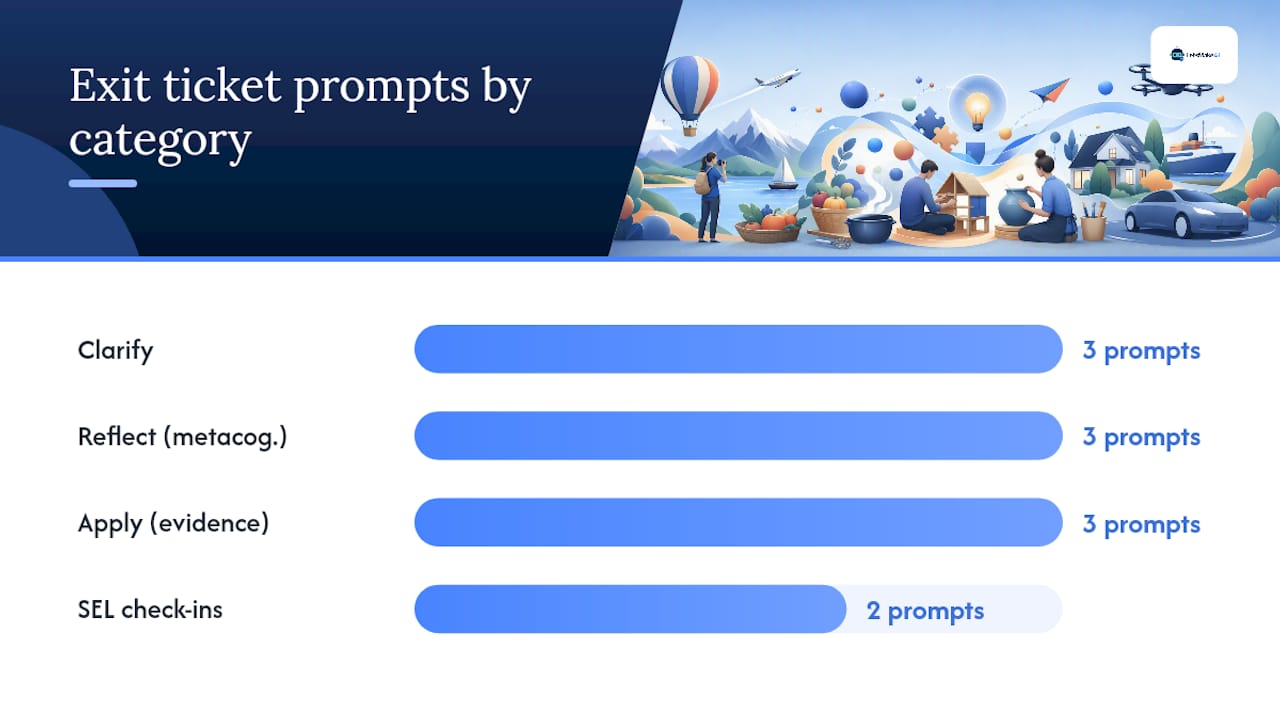
SEL check-ins: 10. "How are you feeling about today's class, and why?" 11. "On a scale of 1 to 5, how manageable did today's workload feel?"
To turn any of these into a slide in under two minutes, paste the prompt into a Google Slides text box or a Pear Deck draw/text response slide. For printables, format two prompts per page, index-card size, and bump the font to at least 14 point for students who need larger text. Add a sentence starter line beneath each prompt for students who need scaffolding.
Why These Prompts and Workflows Actually Work
The 3 to 5 minute window isn't arbitrary. CPET's research on formative assessment frames that window as enough time for genuine reflection without eating into instruction. Metacognitive prompts like start, stop, keep increase student reflection and yield changes teachers can act on, while sharing aggregated results back with the class builds classroom trust and responsiveness. Use metacognitive prompts when you want self-regulation; use muddiest-point when you're hunting misconceptions.

Pro Tip: Bookmark the ReadWriteThink exit slip guide for ready-made templates if you want a starting point beyond what's here.
A Trick That Made My Exit Tickets Actually Useful
I used to collect exit tickets and let them pile up on my desk. Then I started sorting responses into three sticky-note colors the moment class ended and scheduling a five to seven minute warm-up the next day built entirely around the top misconception. That one habit turned a stack of paper into next-day lesson planning.
Let Software Handle the Sorting Part
You've got the prompts and the triage system. The part that eats real time is reading a stack of handwritten slips and figuring out which pile each one belongs in, especially after a full day of teaching. HomeworkHelper reads handwritten student responses through OCR, sorts them against a rubric you set, and hands you an export ready to drop into a spreadsheet or your LMS.

That means the flagged "re-teach" pile from your exit tickets is already built for you by the time you sit down to plan tomorrow's warm-up, instead of you scanning fifteen slips by hand. Teachers use it free for a trial run, with pricing built for individual classroom budgets, not district contracts. If your Friday exit tickets always turn into a Saturday grading session, try HomeworkHelper on your next stack and see how much of that pile it clears before you finish your coffee.
Sources
- Exit tickets as formative assessments — CPET (Columbia)
- RetrievalPractice — Mid-semester feedback strategies (Dr. Pooja K. Agarwal)
- Gathering student feedback — Stanford Teaching Commons
- 10 powerful ways to end your lessons — Edutopia
- Technology tools for gathering student feedback — University of Iowa
- Exit slips — ReadWriteThink